Friday, January 03, 2014

Windows 7 Deployment: Part I

There is an old adage that claims “knowledge is power”, and if you believe that then, well, I’m going share a little bit of know-how in the realm of Windows migrations to those in the frantic rush to migrate off Windows XP before the April 14th, 2014 deadline to do so.  This isn’t a comprehensive guide, but more “talking points” of things you need to consider. While I won’t claim a knowledge monopoly on the subject, having recently completed a 2-year, 150,000 client migration Windows 7 (with over 6,000 applications, 200+ countries, and nearly 10,000 physical locations), I think I know a little on the subject, and now happily share it with those on or about to go through the same trails and tribulations as I had the joy of enduring.

Assuming all of the pre-migration work of business case approvals, steering board committee commitments, approved budgets for resources, and even preliminary timelines/milestones have been set, let us get right into the migration fun.

Step 1. Discovery

Before one can begin migrating, one needs to know what they are migrating, how many they will migrate, and whether or not they can actually be migrated.  If you are a small, 1 location shop, more likely you can spend a few days physically counting the PCs and looking at their specs and applications to see if they meet Microsoft’s or your business’ requirements.  After all, not all of your PCs are going to be reusable.  However, in big shops, spanning hundreds or thousands of locations, multiple-countries, etc … it is just not feasible to do a manual discovery.  You’re going to need tools.

You’re going to need to know the following:

How many PCs are in scope

Although somebody used a relative “good guess” for the business case to start the project, you are going to need to find out how many PCs you have in your estate as best you can (by location, country, business unit, etc … helps with planning).  There are a few ways to do this:

a. Active Directory Object Count:  Depending on your Active Directory architecture, you can quickly get a good guess of how many objects you will need to migrate.  However, I’ve never seen a clear and accurate AD count.  Many machines somehow make it off of the domain, have server names instead of desktop names (or vice-versa), named wrong (location codes or even country codes can be wrong due to people moving locations within the company), etc.  The information is useful, but you’ll need to “triangulate” this information with better methods.

b. Centralized Desktop Management Tools:  The last contract I was on ran primarily an Altiris environment (lots of different tools exist however), so we were able to do Altiris queries for machines and their specs.  This tended to wield a good result, but it was still not accurate enough for our taste. Too many people in the old environment had local admin rights, and they usually removed the Altiris client when they had they chance, so you miss a lot of machines.  Not only that, the data in Altiris is only as good as Altiris (or any other system) is managed.  While it wasn't god awful, there were a lot of inaccuracies  with collections which were not suitable for gathering accurate data.  Again, good “triangulation” type data, but doesn't stand on its own.

c.  Discovery scripts:  What I found to be the best was a good ol’fashioned script that could be run locally (as an .exe) or as a login script via AD (or deployed as a task via Altiris or other tools if available).  In these cases, a nice PowerShell script can be your best friend.  Able to do a powerful WMI query, you’re able to pull all the information you need for a very robust discovery: host-name, physical specifications, applications, instances of those applications, user profiles … the whole lot!  What you will need is a good few weeks of running this script to get accurate data.  But after a few days, you can already get a good idea of what’s coming and start preparing for the next ugly steps.

The technical specs of those PCs

In some shops, you will go “greenfield” style which means that you will order (or already have ordered) new PCs for everybody.  This simplifies a lot of things, but it’s not the cheapest solution for most companies.  When “new PCs for everybody” isn’t feasible, the discovery information will tell you which PCs need to be replaced, which PCs can be upgraded to meet spec (ie...memory or HD upgrades), or which are already go to go for the OS swap. 

All these factors make a difference in re-deployment times and hence planning.  Moving data from one PC to another simply takes longer than keeping data on a machine and just upgrading the OS.  Therefore, make sure your company specs meet or exceed what will be needed for the new environment and get right to it.  New hardware orders take time.  When dealing with literally tens of thousands of new PCs, you can look at a 4-6 week delay easily.  Longer in most cases (see Global Images, Specs, Drivers below for additional duty to start in parallel)

The applications running on PCs

The real “meat & potato” of migration time deals with applications and packaging.  Don’t let anybody tell you different.  Yes, moving data from one PC to another can be cumbersome but you can buy or make tools that automate the process.  You can even automate to a large degree the installation of applications (as we did) on new/refreshed machines.  However, finding source files and testing those applications beforehand aren't easily automated.  You’ll need a team of packaging gurus, lots of luck, and some good testing if you want migration day to go smoothly. 

Take any liberty with shortcuts during this phase (no testing, lazy testing, messy testing environment), and you’ll pay.  Ooh, you’ll pay.  Make sure as the discovery script starts to populate the list of applications in use, you get the responsible people “white listing” the applications business will need, have licenses for, or are willing to pay for (and if they’re open source or free, are willing to support and pay packaging costs for).  Also if you’re packaging for remote deployment (via Altiris, or another centralized DMT), make sure you have a corresponding package to install manually as well.  This will save a lot of time when you find out a user is missing a business critical application.  In fact, all needed applications should be installed during the migration process, and desktop management tools should be use only in cases where local engineers aren’t available and something needs to get delivered.

Global Image, Specs, Drivers


The above processes are the first things you need to do, but at the same time, you should have already worked out a base image for your entire organization (Windows 7, company screen saver, applications that EVERYBODY gets, drivers for specific hardware types).  The image is the base of your migration.  However, it’s really only the base.  You cannot do a large, mass migration with an image because not everybody has the same software needs – and it’s a licensing nightmare (or non-compliance) if you deploy a lot more software than you have licenses for.  That’s why a base image should only contain software that your entire organization uses globally, nothing else.  Any software that is country specific, location specific, business unit or division specific, belongs to another process and not the global core the image.  This should be “made” and tested on the hardware you’re going to support (and include drivers for supported hardware only) during/before the discovery process is completed, so the tools needed to migrate can be completed and ready for duty.

Oh, and don't forget ... 32-bit or 64-bit ... what's needed and what are you willing to support?  95% of your organization won't need more than what 32-bit can offer.  So choose wisely, as support both platforms, means packaging for both, costs for both, etc ...

To be continued ... UATs and Pilots


Thursday, November 07, 2013

What is Vendor Managed Inventory (VMI)?

I've seen the term Vendor Managed Inventory (VMI) used in about a million different manners now, and I just realized that the term is so liberally used, it can be cut up into various pieces that might make more sense for those uninitiated with or considering a VMI move in the supply-chain management world.  I don't want to argue the merits or demerits of VMI, I could probably write a book about it (whew! Looks like I don't have to?), but my take is that it's broken down into a few categories (I'm making it really simple for quick guide like sake):

Vendor Managed Inventory – Supply Side

Vendor Managed Inventory (VMI) in its purest form is when a vendor (supplier of goods) manages the inventory level AND stock level of its goods on a buyer’s (demand side) premise.  That is to say, they are responsible for scheduling / delivering a set amount of their inventory to a buyer’s stock room, and also re-stocking the buyer’s shelves with their goods.  Requisite levels of inventory are determined by sharing point of sales data (POS) and analyzing it in order to predict the best inventory level possible for the buyer based upon evaluated sale trends. 

Generally this system isn’t used as it requires the supplier of goods to be on site continually to make sure shelves are stocked.  This could mean a permanent resource on site or a daily visit to the buyer's location to ensure shelves are stocked and consumers have access to buy the goods.  With expensive, large, or slower moving goods, these human resource needs might not be as demanding, but the risk of losing a sale is very real if the good in question is not available to the customer seeking the product.

Vendor Managed Inventory – Supply/Demand collaboration

This is a growing, and usually more successful, form of Vendor Managed Inventory (VMI).  In a collaborative effort, both sides share sales data and analysis in order to fully optimize their inventories and sales opportunities.  In such cases, both sides divide up responsibilities (by agreement) and do their best to support each other as means allow (this can mean a lot of human communication, physical visits to buyer’s site by vendor, and  even sharing human resources at loading bays or even stocking store shelves, to get the job done).  Goods may be on consignment, delayed payment (90 day pay period on invoices), or purchased outright -- depending on agreement.

Vendor Managed Inventory – Buyer side

This is probably the most common form of Vendor Managed Inventory (VMI).  In Buyer side centric models, Vendors are usually leaving goods on consignment at the Buyer’s premise, and/or invoicing for a 90 day or more period before getting paid ... giving the demand side buyer time to make sales and earn cash before actually paying for the goods.  When this happens, usually the buyer is the sole entity responsible for keeping shelves stocked in order to make sales.  However, depending on the relationship and agreement, this type of relationship may demand that the supplier take back all goods not sold or alternatively that the buyer pay for the goods regardless if they’ve been sold or not.  Not the best system for creating trust and a positive business relationship among partners (hence why it’s in slow decline), but it’s still today the most dominate form of VMI.  Large players like Walmart almost use exclusivey this model, because they can.

Buyer Managed Inventory

This method is all but dead in the FMCGs business to all but the smallest players.  In this relationship, the buyer is wholly responsible for pre-purchasing goods to sell, incurring losses on items not sold, and responsible for all stocking/restocking of goods that are customer facing.  The vendor plays no role in the inventory process aside from dropping off goods at the bay doors of the buyer’s place of business.

Of course, there are hybrids in-between the above -- each one has a positive or negative element to them that might be better or worse for the supply or buyer involved.  Which one do you use?  Or which hybrid model do you use or do you think is best?  As stated above, these are mainly in the FMCG world, but they could apply to others as well.  Thoughts?


Friday, October 25, 2013

What makes a successful Project Manager?

I was recently asked by a recruiter (who “cold called” me for a job I didn't deem I was qualified to fulfill) to describe the attributes of a successful project manager.  I think my no holds barred replies shocked him a bit.  I said uncensored (make sure there are no children present):

  •  To know what the fuck you’re talking about (I don’t know why I dropped the F-Bomb to a stranger, but I did …): Basically, don’t say “I know” if you don’t.  I have no problem saying I don’t know something and asking for help from someone with more wisdom in the matter than me.
  •  To ignore process when it’s in the way*** : For example, if you have the bandwidth (time), and somebody needs your help – help them. Don’t make them raise tickets and bother 3 other people in the organization and waste their time to solve a problem.  Especially if it’s a customer.
    ***This can even work in more serious changes like production rollouts, but you really have to know what you’re doing.  You're either a hero or fired.  Not for the squeamish.
  •  To garner social capital with your teammates and customers on a regular basis … ie, get shitted (drunk) with them once in a while and have some fun.  If you don’t drink, that’s fine, just don’t be a bore.  Nobody wants to help people who aren't fun, and they will do so only by “force” or necessity. 

That’s it.  All the certificates in the world mean nothing (Yes, I’m Prince2 certified, but I was forced to do it!).  I knew many PMs with certificates covering their walls, but they were notoriously unsuccessful because nobody wanted to help them (see point #3 above), they moved way too slow (see point #2 above), and they tended to escalate way too much (instead of trying to find the solution themselves in a diplomatic manner …. point #1 kinda applies).

There is nothing magical otherwise.

Monday, October 07, 2013

The importance of productivity ...

As I get into the final phases of development before the first release of my smart shelf solution, I am focusing a lot on usability and productivity features.  Outside of elite software development circles, these intangibles are still little understood and highly undervalued in the IT world.  Such features are always hard to elucidate to potential customers because they’re immaterial (not easily written into a feature list) and can usually only be perceived after the fact (ie… after using them).

When I say productivity what does that mean?  Well, there is the dictionary definition of it, but let me give you an example:

Many years ago I got the opportunity to work for a new start-up ran by some real math geniuses at JetBrains.  When I was asked to come on, it was a small team just releasing the 2nd version of their now industry famous and unbelievably awesome Java IDE IntelliJIDEA.  These guys were the first to put refactoring features into a Java IDE and not only that, made it quick and easy to use.  Developers (their niche market) saw the value immediately and sales quickly took off.  A simple refactor like “rename” immediately saved 10s of minutes if not hours of manual (and error prone) work renaming items in your code.  You could now fire up the “rename” refactor with a push of a button, and all (for example, class names) within the entire project would be renamed to whatever you chose (error free).  Seems simple in retrospect, but it was a huge time saver at the time, and companies were willing to pay for such features.   Here’s why:

Let’s say you pay a developer 80,000 USD per year to program for you. He works 8 hours a day, 5 days a week, 4 weeks a month – an average of 20 days per month.  That yearly salary roughly translates into 6,666 USD per month, 333 USD per day, 42 USD per hour, .70 cents per minute.  This new feature saves 15 minutes per day.  Time = Money, so around 10 USD per day of developer time (ie… more work completed in the same amount of time).  Now, basic math: 10 USD per day = 50 USD per week = 208 USD per month = 2500 USD per year.  The software license cost was 500 USD.  That’s 2000 USD in increased productivity or programming value for that 1 developer.

And of course, that wasn’t the only feature (the tool had way more, with much larger productivity savings, but general time savings per day with the new tool was probably around 1 hour a day total).  Other elite programmers understood it immediately and had their bosses buy it; in companies where there was no budget, or worse, somebody who did not understand productivity was in charge of finances (which is usually the case), many programmers bought the software with their own money!

Then came the competition.  As our software added these productivity features, other vendors started to add them as well.  In this market, our competitors were open source software Eclipse (funded by IBM) and NetBeans (funded by Sun Microsystems).  Backed by billion dollar corporations, the foundations running these open source variants offered their software FREE, with features rivaling IntelliJ IDEA – maybe always 1 or 2 steps behind, but basically great value for the money (free!).  But you know what, although on a 2 dimensional feature list, they could compete with similar features, they still could not compete on the productivity side.  Their “rename” feature might work just as well, but to use it, you had to take your hand off of the keyboard, click around on the mouse, and basically go thru 4-5 steps to invoke this feature.  With IntelliJ IDEA, you needed just one press of a button (superior usability).  To this day, JetBrains is around, making a ton of software variants for different platforms and languages (all of them born out of IntelliJ IDEA) and always keeping 1-step ahead on productive features against their rivals.

That’s what tools you buy for your company should do.  If they complicate things, then they really do not have much productivity value.  Having played with many of the leading ERP system variants and their modules (SAP, Ariba, ex-People Soft now Oracle, Salesforce, and even smaller system), some of them are just horrible to use.  Slow, complex menus, nothing intuitive about them when using them … they’re not productivity inducing at all and even add some initial complexity to the organization (usually requiring expensive trainings, consulting for refinement, etc….).  Such systems shouldn’t be that way, but they are.  And they rule the logistics world.

However, knowing the above ... how can one sell “productivity” to a potential customer if the customer is unwilling to try something new, or due to the size of the company at hand, it’s simply impossible to rollout and demo a new product in their environment?  This is a problem I’m looking to answer.  And it’s a question supply-chain related companies need to figure out as well.  Being dominated by slow-moving, expensive 800-pound gorillas isn’t doing their organization (or the industry!) any justice, they need to internally think of ways they can “test” disruptor like chasm crossing solutions at the same time, to keep their current vendors honest and innovating.  Stay tuned! :-)

-

Sunday, September 29, 2013

Inventory vs. Stock

In my entrepreneurial quest to redefine how shelf stock levels are managed, I'm coming into a rather interesting dilemma in choice of words to use in the English language.  Generally, I am using "stock" to define items on a shelf for sale and "inventory" for items that will be for sale, but are not yet customer facing (ie... in the stockroom!?!, on a truck being delivered to a store, etc.).


As an example, if something is "out-of'stock" what does that mean to you?  According to its general definition, it means the store no longer has that item available for sale.  However, what is it called when the customer facing shelf is empty with the item you want to buy but the stock room is full of that item?  In the this article about Walmart's inability to keep its shelves full with goods, they refer to it as "out-of-stocks".  You see the confusion?  They have goods in the back stockroom, but the goods are not on the shelves for sale.  Do those of you in retail have different words for these two issues, because I'm not able to find a clear separation between them.  I've seen somebody refer to missing items on shelves as "stock gaps" but I don't see it being used anywhere else.

For the solution I'm working on, I'm only concerned with fixing the gap that the customer sees.  "Stock gaps" or "out of stocks" or whatever you want to call them, is what I'm trying to fix.  I am not (yet) trying to make my own inventory management system, as there are a plethora already out there (albeit most of them are horrid and have poor usability and data analytics).  So, in the meantime, I'm focusing on stock levels, not inventory levels, if that makes any sense at all.

In the VMI world, the two words stock and inventory are almost used interchangeably, making it even more confusing and even more difficult for me to articulate the problem I'm trying to solve.  Maybe the specific words or meanings exist and I just don't know them, if so, I'd like to hear them so I can use the proper words in describing what I'm trying to solve. Anybody?

Sunday, September 15, 2013

Rebooting the Blog - Hello Again! ;-)

Well hello again, it has been a while since my last post :-) I've been enjoying life so much that I've not thought much about posting. However, summer is ending and I'm self-inflicting some new misery on myself by developing some new software to deal with a little problem that always bugs me: empty shelves.  Not just any old shelves, but I mean shelves that should have things on them, usually things that I want, and they don't. Being empty in the age of Big Data (current leading trend word in the logistics world, slightly ahead "in the Cloud") is simply unacceptable although understandable: Big Data is basically dependent on a slow, analytic process of trending future market events.

Data collection this way almost never happens in real time (usually in scripted collections during off-peak hours), and this is why it may take a day, 2 days, or even more for your favorite goodies to reappear back on the shelves.  Even systems that work in "real-time" don't work in real-time.  Some more agile systems (usually in smaller stores with more agile POS systems) don't collect the data until an item is sold.  What if you remove the last item off of a shelf and then keep shopping for another hour?  A few more people will miss getting what they want and the store will lose another sale.


How can this be solved then?  Simple: By tracking product movements at the shelf-level.  This type of tech has been on the radar of big players like Walmart for years, betting on RFID to help do it, but because of continued RFID tag costs and the extensive labor needed to implement and maintain, it hasn't come to fruition. Thus, stores like Walmart openly say that they have a 90-95% in-stock level.  More so, it seems the items aren't out-of-stock, they're just sitting in the stock room.  In Walmart's case, that 5-10% "out of stock gap" is worth billions alone.  Hmm.

Anyway, back to me. :P  I'm making some simple, agile software that will send alerts when stock is getting low and/or empty, so stock people know exactly where and what to re-stock.  I'm currently targeting VMI vendors, so they get an alert when to re-stock the shelves in the buyer's location (or can keep pressure on the buyer to keep their goodies stocked).  It'll be a good performance management tool to measure a product's popularity (time/dates they move off shelf, location, etc..), how fast the buyer re-stocks (if they're responsible) or if the vendor is responsible it will help them organize their supply-chain/human resources, on a real-time basis, in order to keep their goods on shelves for sale.

So the next time you go shopping at any FMCG store, see how many stock gaps you can find and then see how long it takes for them to be filled. You'll be amazed.

Friday, December 09, 2011

Goodbye Gowalla, for now ...


Well, I have officially stopped using Gowalla. I just didn't like its privacy settings. Even though I set my Privacy settings to "Private" -- which means via the web, users could not see where I was checking in ... they could still see the photos I was posting at check-ins. I didn't like that. Not at all. The Czechs have a word for that called "drzý" (something like "insolent" or "brash", but not really). Over the years, I've helped them grow by checking in everywehre and creating new locations, and now they've been purchased by Facebook. Congrats guys! Now Facebook own the top two worse sites for privacy settings on the internet.

Once you guys can fix that, I'll be back ...

Friday, April 22, 2011

Goodbye iPhone; Hello HTC Desire S: Part II


Well, it only took me 2 days to fall in love with my Android phone. I likes it ... I likes it alot. Of course, I'm still learning the phone and platform, but I'm impressed. It's way more badass than my iPhone in most things. Usability still needs to be improved a bit, but since I'm a power user, I really don't mind. HTCs implementation of Gingerbread with HTC Sense just rocks. I'll say more later, once I've really had a go at using this phone, but so far, so good.

Wednesday, April 20, 2011

Goodbye iPhone; Hello HTC Desire S


Well, the speed of my 3G iPhone was starting to get pretty damn annoying (ever since the "upgrade" to iOS4, it started going downhill), not to mention the fact that the battery charge is now sucking too. And since I couldn't just replace the battery in the iPhone, to stretch out its life a bit more, I decided to scrap it altogether and get a new phone. Enter the HTC Desire S. Goodbye Apple.

As you may have read in previous posts, I have a love, but mainly hate relationship with Apple products. I just never got comfortable with the closed platform, iTune necessary, built for dummies mobile device. Don't get me wrong, it has some nice usability (see below) features, it IS simple to use, and most of the third-party apps that I used on the iPhone were pretty good. But, I always wanted something more, to bring me back closer to my old days on Nokia Symbian powered phone features. So I thought HTC would get me there.

So far, after having the phone for 4 hours, I'm not impressed. It takes WAY too many clicks to perform basic functions. The freaking apps panel is a bloody mess, and I'm not able to create sub-groups or folders to organize everything. I have TWO email clients (one for Gmail, and one for POP3/IMAP accounts), and frankly both suck. Facebook, as much as I hate it, also sucks on Android compared to iOS (can't upload video, and layout looks cheap). Linkedin on Android sucks compared on iPhone too. In fact, almost every app that I had on iPhone that's on Android sucks. The exception so far being Photobucket.

I didn't do enough research on Android before buying, I thought I'd just go see how it stacks up. And, while it has some cool things about it (wigets are cool and suck at the same time), so far it's a cluttered mess.

Anyway, these are only my first hours impressions, so we'll see how it goes in a week or so. So far, I have like 2-3 weather apps/wigets on the phone, and 2-3 twitter icons or apps that I don't need. And I can't seem to be able to delete them. Arrrrrrrrrrgh!

More soon!

Monday, January 31, 2011

Drinking Apple kool-aid ...

As you can cleary read in some of my previous blog posts, I have a hate/love relationship with Apple products. I HATE that I'm dependant on having a PC with iTunes to activate new Apple devices. I hate that I have to use iTunes to put pictures on my iPod. In short, I hate iTunes. It bricks my devices all the time on my XP box (yeah, I'm still using XP on my work notebook, sue me!). I've bricked my iPhone a few times -- usually going the whole day without a work phone, only to restore it on my home PC (Windows 7). I just want to smash Steve Jobs in the face sometimes.

Not only that, I can't stand how many people drink Apple Kool-Aid. It's annoying to hear them talk about Apple devices, similar to this:

iPhone4 vs HTC Evo

I just purchased a iPad for my wife. I pulled it out of the box. Hooked it up to my notebok (XP!), and bricked it while trying to update the OS. I love that icon that says I should plug it into iTunes, even though it's plugged into iTunes. I guess (I hope!) I will have to restore it on my Vista box when I get home. Love wasting my time! Thanks Steve! (I don't blame Bill -- we all know he builds crap, but Steve should know how to create a work around for this somehow ... it's annoying).

So why do I continue to buy Apple products (at least, sometimes)? They're over-priced, under tech'ed (no camera at all, not least a forward looking camera on the iPad ... I guess nobody uses Skype but me? Hell, can't even iChat on it!), and closed systems. Why do I bother? Simple. Because once you get through all of that crap (and it's crap!), they're sexy devices that work really well, and even idiots can use them. And because idiots can use them, there is actually a selection of apps out there to choose from.

Not only that, Apple does do a good job with integrating their other products (Airport Express controlled by iPhone, AppleTV controlled by iPod Touch, iPhone, iPad, etc...). Other companies just churn out things that seemingly are different worlds from each other. In other words, Apple has created a platform that works. Of course, I'm still on a iPhone 3G ... and thanks to OS 4.X, it's as slow as snails f--king! I am refusing to upgrade to iPhone 4. I think it's too expensive when compared to the Samsung Galaxy S or the HTC Desire HD. Those phones do more for less. But I just can't buy one of them either. They seem real cheap (especially the HTC). Plus, they won't integrate with my AppleTV nor is there anything like an AirPort Express that I can control with it (is there?) I am just gonna stretch out the iPhone 3G as long as I can.

On a side note, since I am not an integration freak when it comes to hardware for my wife, she is getting a new Nokia C7-00 for her birthday from me (she doesn't read my blog, so I can tell you now :P). It has a 8mpix camera and does HD video. It has awesome integrated FB (social media) functionality. Wi-Fi, BT, cool navigation, etc... Far superior to the iPhone, and it costs 3-4 times less. Nokia Symbian phones have ALWAYS been bad ass technically (far ahead of iPhones), but Nokia's marketing team had alwasy been more interested in having models holding their phones, than actually showing what the phones could do (sytle over substance didn't work for them for some reason). This approach failed for Nokia, but is working for Apple. I guess Hollywood isn't the only influence on the rest of the world. You can add Apple to that list too, even if they're at least a half-decade behind others in actual functionality.

Monday, October 25, 2010

Email Facepalm

You would think that in today's age of computers in the workplace, the most basic form of work place communication -- that being E-mail -- would be the most effective form communication with colleagues. After all, this is an age of omnipresent technology, where you can access your work email from your notebook, pc, work mobile phone/blackberry/iphone, VPN from home ... and you can do so when you become available. That is, you can't "miss" it, because you're not in a meeting -- it's just there once that meeting is done.

However, on my current contract, it seems I am sending email to the Gliesa 581 system, as I never get an immediate reply and I almost always have to do a "manual" walk over to the persons at hand to get the information I need. In addition, I've started to email with just itemized points (no long winded sentences like my blog, clusters of chaff .. just to the point). A majority of the time these emails only require a "yes" or "no" answer. I still don't get it.

I have tried the "I will assume this is true if you don't reply" type emails, but they don't work either. I've been in meetings and burned some people, and that's not my intention as a contractor. (VP asks XYZ, I say ABC, Engineer says it's not that way, I retort I emailed them and they agreed because they didn't reply, Engineer gets roasted by VP for not replying) Of course, sometimes, I have to open a can of whoop a$$ (keeping in mind, I'm usually brought in when the locals aren't doing their job, dragging their feet, or unable to complete the tasks at hand). Oorah!!! :P

Anyway, it seems I have to continue sending emails and doing a manual follow-up -- wasting time as I walk around the building looking for people. It seems email is a big waste of time, but needed -- but the real question is, is there anything else on the horizon that will replace it? IM can work, but people never answer those either. Ideas? How about a cruel "Star Rating" system for your colleagues at work? (Don't email David, he has a 3 star rating for replies, so you know you'll have to go find the guy) That would be awesome. ;-)

Thursday, October 07, 2010

Foursquare, Gowalla, and social network business models ...


As you may or may not know, I am a "part-time" user of both Foursquare and Gowalla. I say "part-time" because I normally forget to open the applications up when I go somewhere (unless I am out eating lunch by myself, or waiting for somebody and I find myself bored so I fiddle with my phone). With SMSs pretty cheap here in the Czech Republic (1 kč per SMS ... or, about .05 US cents), it's just much faster to SMS people if I want them to join me. Basically, what I really lack is incentive to use such apps on a normal basis.

Of course, in places like New York, where Foursquare was born and rules the city, you're much more likely to find "deals" ... ie ... electronic notices/coupons related to the places you visit. A somewhat crude form of location based advertising ... not quite as fancy as our Jellingspot data server we used to sell back in the early 2000s (bluetooth location based services platform), which we shelved a few years ago (no "easy to use" app stores existed then). But, it works.

Even this, however, isn't the greatest incentive. If they really want to grow -- they need to learn about viral marketing and/or viral sales teams. Imagine if I set up locations in Gowalla, and then made .1 cent for every check-in? Ok, maybe a bit far fetched, but maybe I could make a deal with my favorite locations -- for every check-in you bring them, you get .1 cent?

There are a ton of mini-viral marketing/sales activites they could do to stimulate exponential growth of their app use. A kind of virtual francising. This would be incentive for me to use and spread the usage of these applications. Heck, even a simple monthly lottery for people who check in would be a nice incentive. Everytime you check-in (at certain locations for example), your name goes into a virtual hat ... end of the month, there will be a drawing where you can win, ABC, XYZ, etc. Think about it. Thousands of users would then be pushing your product. You don't have to cough up a bunch of cash (although somekinda Google Ads like business model could be cooked up ...). Food for thought ...

Illustration from: http://topnews.net.nz/

Wednesday, September 22, 2010

Handplaning


Well, I just noticed on my boy Justin's facebook page that he re-posted a totally awesome blog post from his friend Brian over in San Francisco who is really passionate about handplaning. [Check out his awesome GoPro video in the blog post]

What is handplaning? Basically, it's body surfing with a small board on your hand, which gives you more lift and more control in the water. Like a one handed "bodyboard" ... but, there is no board on your body -- just a fin on your hand. It looks totally fun!

Anyway, the guys who made Brian's handplane over at Enjoy Handplanes take old surf boards, cut off the noses, and make some cool ass looking handplanes. How cool is that? Recycling old surf boards to give a part of them a new life in the water. I think that's totally cool, so much so, that I'm gonna have to order one. Not sure how much handplaning I can do in the Vltava, but it's definitely a lot easier to travel with a handplane than a surfboard when I *do* get a chance to hit up some waves. Check them out!

Monday, September 20, 2010

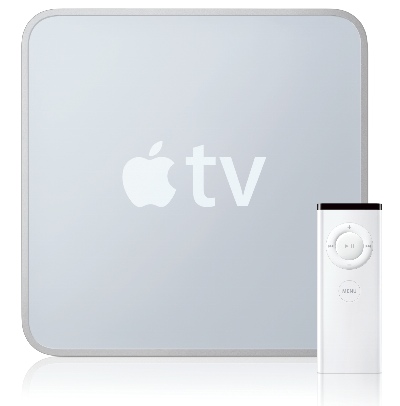
Apple TV: New vs. Old


Recently Apple launched its new Apple TV for the amazingly low price of 99 USD (75 EUR / 1865 Kč). The previous Apple TV was considerably more, depending on the amount of storage you wanted. But, that's no longer an issue with the lastest Apple TV, because they no longer include ANY storage, so now you don't have to pick. ;-)

I could list the plethora of differences between the "old" (and my opinion) Apple TV and the new one, but the fine people over at Digital Trends have done a pretty good job comparing the New Apple TV vs. Old Apple TV.

What I will say is this -- cloud computing (ie... all of your hard drive storage is on the internets, not on your local computer) overall is pretty cool and I'm definitely not a cloud computing hater. I like it. But, Apple TV's new "stream only" approach is kinda limiting in some ways. What if I want to buy a movie? I can still buy movies on the old Apple TV ... and even via iTunes on my PC. But I cannot do it directly via the new Apple TV. I can only rent. This means I have to go into my office, turn on my computer, fire up iTunes, BUY a movie ... download it in total, and THEN! I can stream it from my PC to my new Apple TV and watch it in my living room on the large LCD TV ... seems like a longer process just to watch a movie (more steps in the revenue cycle, I think, aren't usually wise). Doesn't look like I can lug the new one to my mountain cottage either to watch movies (would need an internet connection to watch movies). I guess the limited internet connection mountain cottage types aren't their target market.

On the other hand, it removes some of the craziness of "syncing" content between systems (I mistakenly deleted a purchased movie off of my iTunes on my PC, and it then "synced" (deleted) on my Apple TV, so I lost the movie I purchased) ... so from this side I think it's cool. The netflicks integration seems pretty cool tool.

All in all, still a pretty cool device with very limited competition ... but, with a 99 dollar price tag, I think Apple TV is really going to cross the market place chasm now ... just wait and see. But I don't think they needed to remove some of the cool stuff they had before ... they could have just improved what they had, instead of cleaning the slate so to speak.

Friday, April 23, 2010

Back on E85


So, I thought I'd post something new that WASN'T really related to what I do for professionally for work, but what I do for "fun". In this case, it's moving my Subaru back to E85 fuel for the race season. You know, E85 .... 85% moonshine and 15% normal 95 oct. (91 in the US) fuel -- which totals up to 109oct (105oct US). With Winter's long grip on Prague officially over, it's time to go E85 again for the following reasons:

1. It's 40% cheaper than normal 100oct. (96oct US) fuel ... which is about 8.50 USD per gallon now.
2. It produces 70% less emissions than standard petroleum based fuels.
3. With tuning***, I get another 10-15% horsepower and more engine safety.

Now, I don't run E85 in the winter, because I don't drive my Subaru STI much in the winter, and because it's extremly difficult to start the car on E85 when it's cold out. If you don't have an engine blanket, good luck getting it started (unless your car was built as a Flex-Fuel car, then the ECU (car computer) will know what to do).

However, it's warmed up a bit, so now no problemo. To run E85 in my Subaru I had to add a higher capacity fuel pump and larger fuel injectors. E85 requires that you spray 30-40% more fuel than standard gas when using it the way I am (1 to 1, ethanol doesn't have the power as standard gas, so you need more of it to product the same amount of energy). Using the opensource software RomRaider, I am able to tune and make changes to the car's ECU map so that it will run E85. In this case, playing with the fuel scaling and timing. Don't try this at home kiddies ... if you screw up, you'll blow your motor. ;-) Once done, ta-da! Add E85, update ECU map, and you're good to go!

Naturally, I just explained it "for dummies" as details might be just a bit too much for you if you're not familiar with ODBII ports, ECUFlash, MAF scaling, blah, blah, blah. Anyway, something new for you today, if you have any questions about what you need to do to get on E85, let me know, I'll be glad to consult ... now, back to real work I go (oh, wait, still looking for work myself :P) ...

Friday, November 20, 2009

"Lean Manufacturing" in software ...

The term Lean Manufacturing has been around for a while, but it seems that it has been re-discovered by a few marketing teams in a few of the larger ERP systems (I hate this term ERP, but I'll use it for reference) solution providers, and I'm getting spammed about how to "make my business 'leaner'".
I have no intention to drill deep into Fordism at this point, as it is a really exhaustive topic (and well worth researching if you're unfamiliar with it) and not really suitable for an ad hoc blog post. What I will say (and to really water it down and simplify it) is that in terms of software solutions for logistics/production companies, is that the goal of any information system you implement should aim to reduce the amount of manaual work employees perform or remove the need for any manual work altogether.

The great majority of systems (ERP, SCM, MM, IS, --> insert acroynm here) capture information well (including the system the company I work for implements), but they do a poor job of automating processes or removing the "decision time" process. In other words, you collect a plethora of information about, say, what items are in your warehouse, but very few of these systems are ordering supplies for themselves (ie... when a store's shelf is empty or the supply depot is almost exhausted, very few outfits have automated re-ordering of goods in demand, and still depend upon shop assistants and students to do "inventory" or "by-site" management of goods ordering).

There are a few systems out there (not being fully used by most of their customers), that automat the sourcing process, including the contracting process, ordering process (by Demand), etc ... but for the most part, especially in this part of Europe, product chain management is extremly poor. The local giant Tesco or Hypernova or Albert should NEVER run out of something (unless it's seasonal), but they do all the time. For example, items I buy all of the time seem to run out, and isn't replaced for days, sometimes even weeks -- even when their other stores on the other side of town have a shelf full of the same goods. "Real Time" analysis and movement of items by demand shouldn't be some rare function of an information system and a comapany's procurement organization, it should be the norm.

The point is, if you are a manager of a large company needing an information system to help you capture AND improve your current production/procurement processes, just don't follow the other sheep and invest in "popular" tools (especially those subsidized by a government, cough, cough ...) ... try doing a bit more research first, and if you're completely lost, contact a professional outside of those companies to help you garner your proper requirements (it doesn't have to be me! :P) ... you'll be glad you did.

Wednesday, November 18, 2009

Call of Duty: Modern Warfare 2


Well, this definately isn't going to help your business at all, but the new Call of Duty: Modern Warfare 2 is out. If you are wondering why some of your employees may be calling in sick more often lately, or why they're not even bothering to show up to work (cough, cough), this may be the reason why.

I must say, however, that you can learn a lot about business from playing such first-person shooters, especially when playing online against other real people. 1. Team work is essential to winning. 2. Real-time communication is a major advantage, especially as it relates to information about knowing where your enemies are located. 3. Having the right-tools (Heart-beat sensor enabled rifle vs. pistol) definately can make the difference between pawning some noob or getting stabbed.

Just think about it ... I'm off to, hmmm ... work on some business proposal for a customer :P (if you're playing this on the PS3, let me know, I'll be happy to skool you online!)

Sunday, October 04, 2009

How NOT to sell software ...

Recently, I was looking for a good photo/picture editing program and a good video editing program ... since I don't own a Mac (yet) that comes with awesome software out of the box, and Microsoft's free picture and video editing tools are completely worthless (shocker!), I went looking to buy something.

I used to be a big Paint Shop Pro guy, so I of course went to see what they currently offered -- turns out that Corel now owns them and the software is called Corel Paint Shop Pro. Downloaded the trial version, and it was very similar to the older versions I knew well. Ok, found my photo/picture tool. I saw Corel had a video editing application called, Corel VideoStudio 12. Downloaded the trial, it wasn't bad either, and pretty easy to use. Ok, that was easy. On their webpage, I noticed they had some nice package deal for both applications for one-low price. Great! Let me buy it ... go to buy it, and of course, it won't let me buy it for the low-price because, and get this ... I'm not in the USA. I am then given a link to pick UK, EU, or some other countries. I picked the EU ... but of course, no nice package deal. Normal price but in euros instead of dollars -- in in short, the software would cost me almost two-times as much. WTF?!?

Now you'd think if I somebody were coming from say the Czech Republic or another former-Eastern Block country, the price might be ... and I'm going out on the limb here saying this ... at least the same? (cheaper would be crossing the line). In an area where software piracy is higher, wouldn't you want to entice people to use legal software by having a lower price (or at least equal) to fit the local's budget?

I know when I worked at a very popular software firm in the past, the price was publically the SAME for everybody -- in dollars. And when the dollar took a hit and got weak, ooh, well ... it was just that much cheaper for the rest of the world (the US was 50% of the market and Europe the other 50%). We even lowered the price on a case-by-case basis when people wrote to us from countries with much lower GDPs. Maybe that's why that company I worked for is still thriving, despite having fierce rivals backed by much larger corporations.

It's really no wonder why companies like Corel, who used to really be king of the hill, have just become standard.

Monday, September 07, 2009

No SMS vCards on iPhone?


Unless I haven't figured something out, it seems you cannot send a vCard via SMS from say, a Nokia (in this case my wife) to an iPhone (in this case, me). WTF? I remember being able to do this back in the old skool days with my Siemens C35i phone, but I can't get a .vcf (vCard) file sent to my iPhone via SMS? Please somebody tell me that I am just doing something wrong?

Monday, August 17, 2009

Back from the Dead


Well, the summer is winding down, so it looks like I'll start to blog a bit more ... less car racing, less beer drinking, less fight tournaments, and more posts about the nerdy stuff that matters!

Nothing new to report, except that my Nokia N95 finally died, so I got an iPhone ... I am such a sell out! It's pretty cool in a lot of ways, and I HATE it in many others ... I'll post some thoughts about it when I get time ... in the meantime, if you're an iPhone user, you have to get Doodle Jump .... can you beat 30055 points? Get some!